




















FAQ How to Copy DAta from SD Card
1. Introduction
- This procedure describes how to copy data from the SD card of a GeoSIG recorder.
2. Required Tools
- Recorder from which you want to access data
- Computer with SD-card reader
3. Turn off the Recorder
- Turn off the recorder by pressing the power button for 3 seconds.
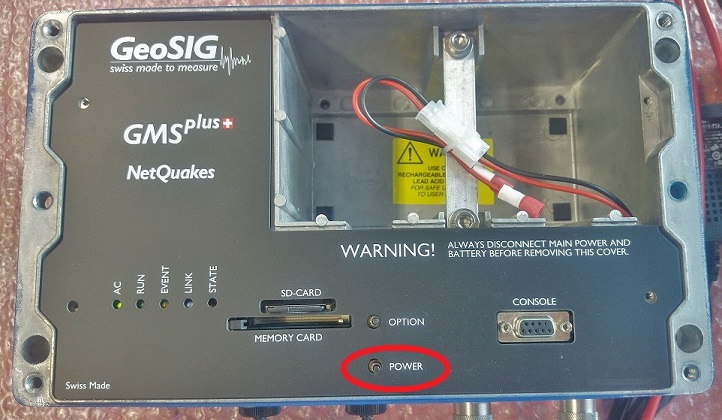
- Wait until the RUN LED stops flashing
4. Remove SD Card
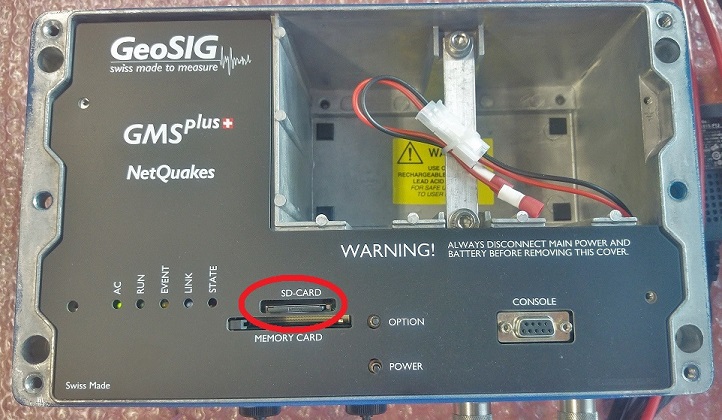
- Remove the SD card from its slot (push to release)
5. Connect SD Card to Computer
- Insert the SD card in your PC's card slot
- Windows cannot detect all partitions on the SD card, so it may ask you to format the card.
PLEASE DO NOT FORMAT THE CARD, OTHERWISE ALL RECORDED DATA WILL BE LOST!

- Press [CANCEL] if the above message appears.
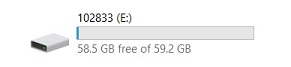
- The SD card should appear as drive named with the serial number of the recorder.
6. Directories and Files on the SD Card
7. Copy Files
- Copy and paste files to your desired directory
8. Remove SD Card
- Safely remove the drive (Right-click -> Eject)